Local-first · Android

Your PDFs,
finally in order.

ArcPDF is a fast, private PDF library, reader, and toolkit for Android. Organize, merge, split, compress, and lock your documents — without an account or a cloud.

Latest release on GitHub

  • No account
  • No tracking
  • Works offline
ArcPDF settings screen on Android, showing grouped appearance, haptic, security, and reader controls
Encrypted vaultBiometric or PIN
Stays on deviceNo cloud sync
  • Merge PDFs
  • Split pages
  • Compress
  • Rearrange
  • Edit metadata
  • Images to PDF
  • PDF to images
  • Encrypted vault

01 — Why ArcPDF

A quieter place
for your documents.

No dashboard, no upsell, no upload queue. ArcPDF keeps the whole workflow on your device and gets out of the way.

01

Local-first,
by default.

ArcPDF indexes the folders you already use and keeps its library on your phone. There is no sync server to trust and no account to create.

Library
On this device
Vault
Encrypted at rest
Account
Not required
Cloud sync
Not used
02

A vault with
a real lock.

Move sensitive documents into an encrypted vault and open it with biometrics or a PIN. Vaulted files live apart from your everyday library.

  • Encrypted at rest
  • Fingerprint or PIN unlock
  • Separate from your library
03

A reader that
disappears.

Page after page with saved progress, outlines, search, and tabs for the documents you’re juggling.

  • Saved progress
  • Outlines & search
  • Multiple tabs
  • Page colours
04

Small app.
Full toolkit.

Edit the document instead of emailing it to a converter. Every tool runs locally, on the file you already have open.

  • Merge
  • Split
  • Compress
  • Rearrange
  • Metadata
  • Images → PDF
  • PDF → images
  • Rotate pages
05

Monochrome,
on purpose.

No accent colour competing with your documents. A strict black-and-white palette that follows your system theme, with an optional frosted-glass finish.

02 — Inside the app

Details you feel,
not notice.

Real screens from the Android build. Grouped controls, full-width sliders, and a navigation bar that stays within thumb reach.

Settings detail showing frosted glass, haptic feedback, and screen-awake toggles grouped into one section
01

Grouped, not scattered.

Settings are split into clear sections, so a toggle is never lost in a wall of rows.

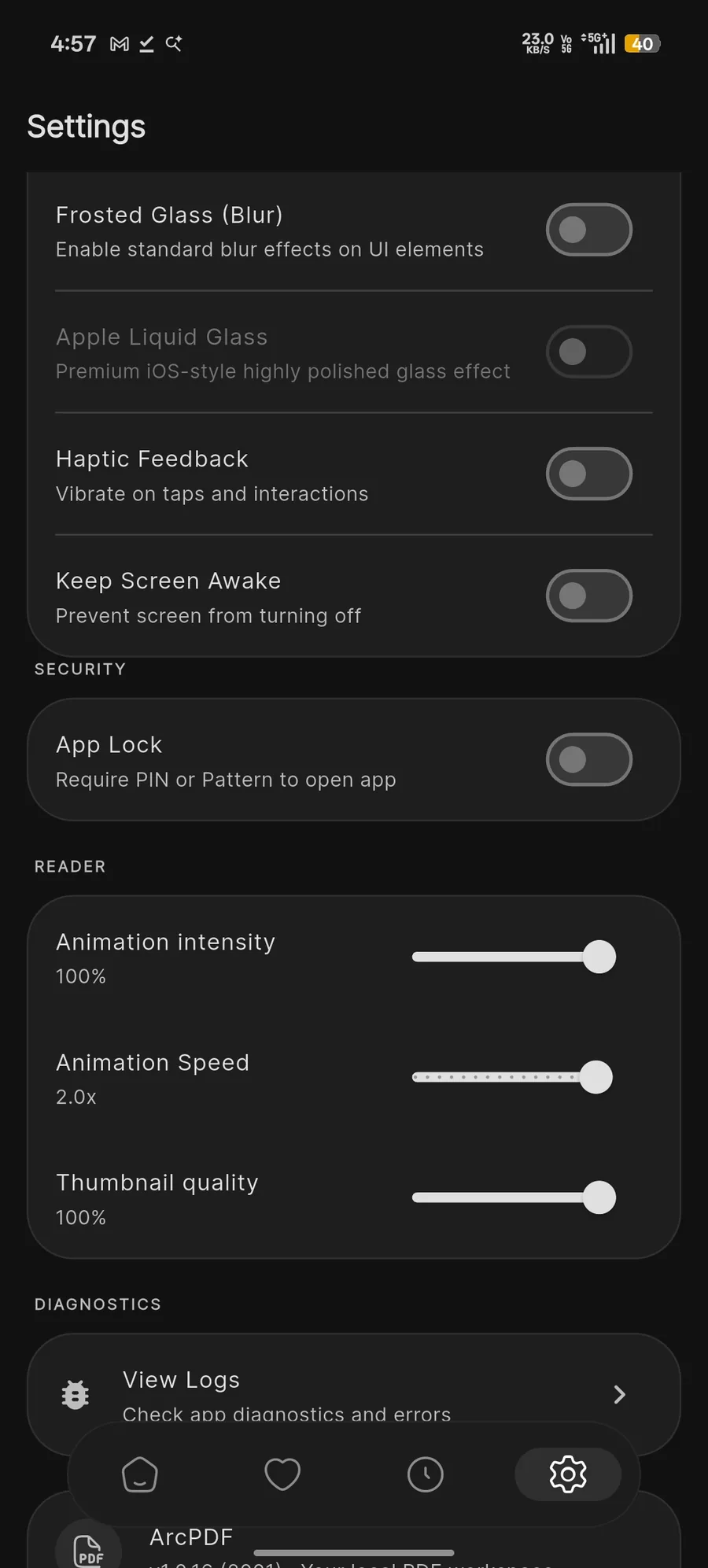
Settings detail showing the App Lock switch and full-width animation and thumbnail sliders
02

Full-width controls.

Sliders and switches get entire rows, with large targets and labels that stay readable.

Settings detail showing the diagnostics row and the floating translucent navigation bar
03

Navigation in reach.

A floating, translucent bar keeps your library, favourites, recents, and settings one thumb-tap away.

03 — Releases

Every release,
straight from GitHub.

New builds and their notes are pulled live from the repository. Installation is a direct APK download — no store account needed.

All releases

Loading release history from GitHub.

04 — Questions

The short answers.

Everything else — code, issues, and the full licence — lives in the repository.

Is ArcPDF free?

Yes. ArcPDF is open source under the AGPL-3.0, and every feature in the app is available without a purchase or subscription.

Where are my documents stored?

On your device. ArcPDF indexes local files and keeps metadata locally. It does not upload documents to a server, and there is no cloud sync.

Does it work offline?

Yes. Reading, organizing, and the PDF tools work without a connection. A connection is only needed to check for a new release or to load this release history.

How do I install an update?

Download the latest APK and open it. Android installs it over the existing app, so your library and settings stay in place. You may need to allow installs from your browser the first time.

Does it run on iPhone or desktop?

Not currently. ArcPDF is built for Android phones and tablets. The source is available if you want to follow or contribute to other platforms.

Ready when you are

Put your PDFs
back in order.

Free, open source, and built to keep your documents yours.

Android · No account required